The fastest OCR for Android and iPhone
Extract text from your scanned documents in seconds, even without an internet connection.
What is OCR?
OCR (Optical Character Recognition) analyzes the image of a scanned document to identify the text it contains and convert it into editable, searchable digital data.
In practice, this means a scanned paper document is no longer just an image: you can copy its content, search it, translate it or export it to a Word document.
Offline OCR
Unlike many scanners that require a connection to process your documents on a remote server, Okalto's OCR engine runs directly on your device.
- No connection required
- Fast, local processing
- Your documents stay on your device
Who is Okalto's OCR for?
Professionals
Digitize contracts and reports to extract editable text instantly.
Students
Turn your lecture notes and handouts into searchable, exportable text.
Freelancers
Automatically extract amounts and dates from your invoices and receipts.
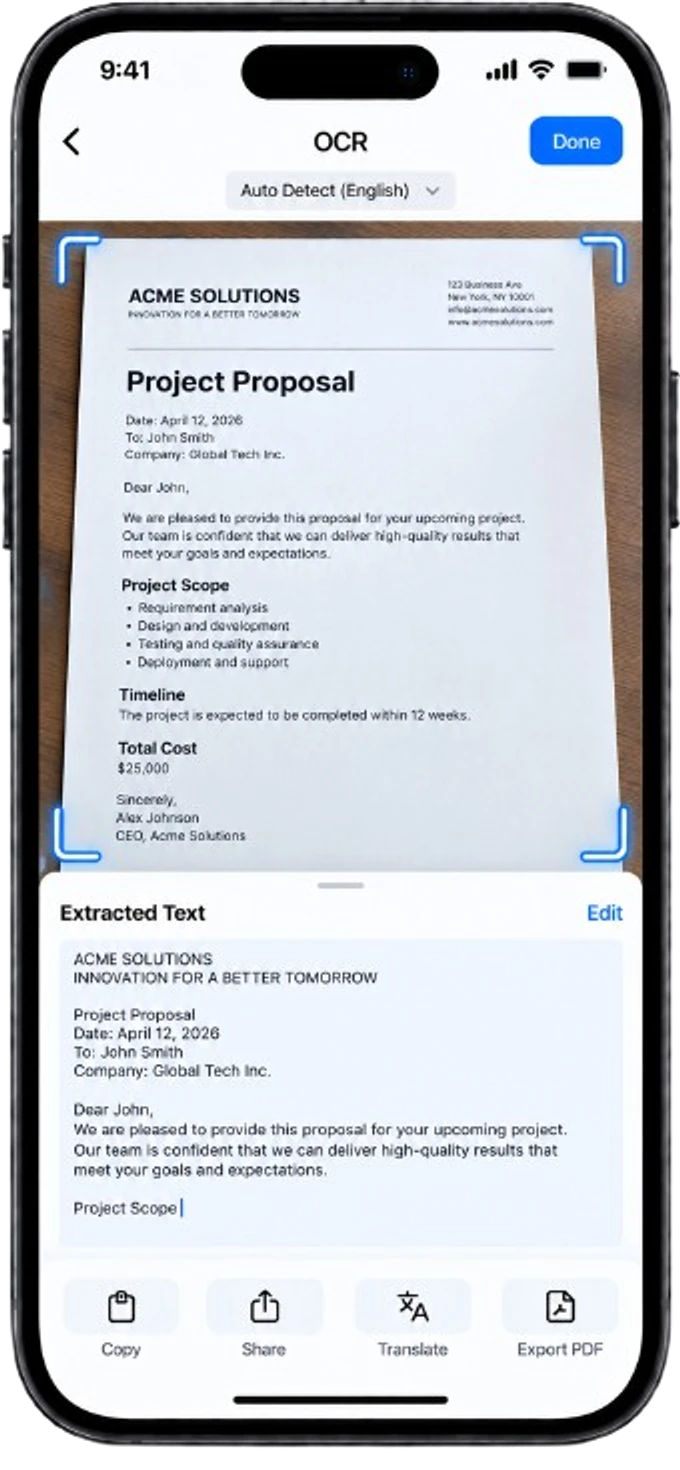
Instant Word export
Once your document is scanned and analyzed by OCR, export the extracted text directly to Word format to keep working on it on computer or mobile.
The extracted text instantly turns into a Word document, ready to be edited or shared.
What's the best mobile OCR in 2026?
Comparison of the key criteria for choosing a good mobile OCR: accuracy, supported languages, offline operation and export.
Can you scan and use OCR without an internet connection?
Why on-device scanning and OCR matter for privacy and reliability, and how Okalto handles it without a network connection.
How to convert an image into a Word document
Discover how to turn an image or scanned document into an editable Word file using OCR.
Questions about OCR
OCR (Optical Character Recognition) is a technology that converts text on an image or scanned document into editable, searchable digital text.
Yes, Okalto includes an OCR engine that works entirely offline. You can extract text from your documents without an internet connection.
Okalto's OCR recognizes text in many languages, with an additional translation feature available in more than 58 languages.
Yes, once the text is extracted by OCR, you can export it directly to Word format to edit it.
Okalto's OCR is optimized for printed text and also recognizes simple, legible handwriting.